
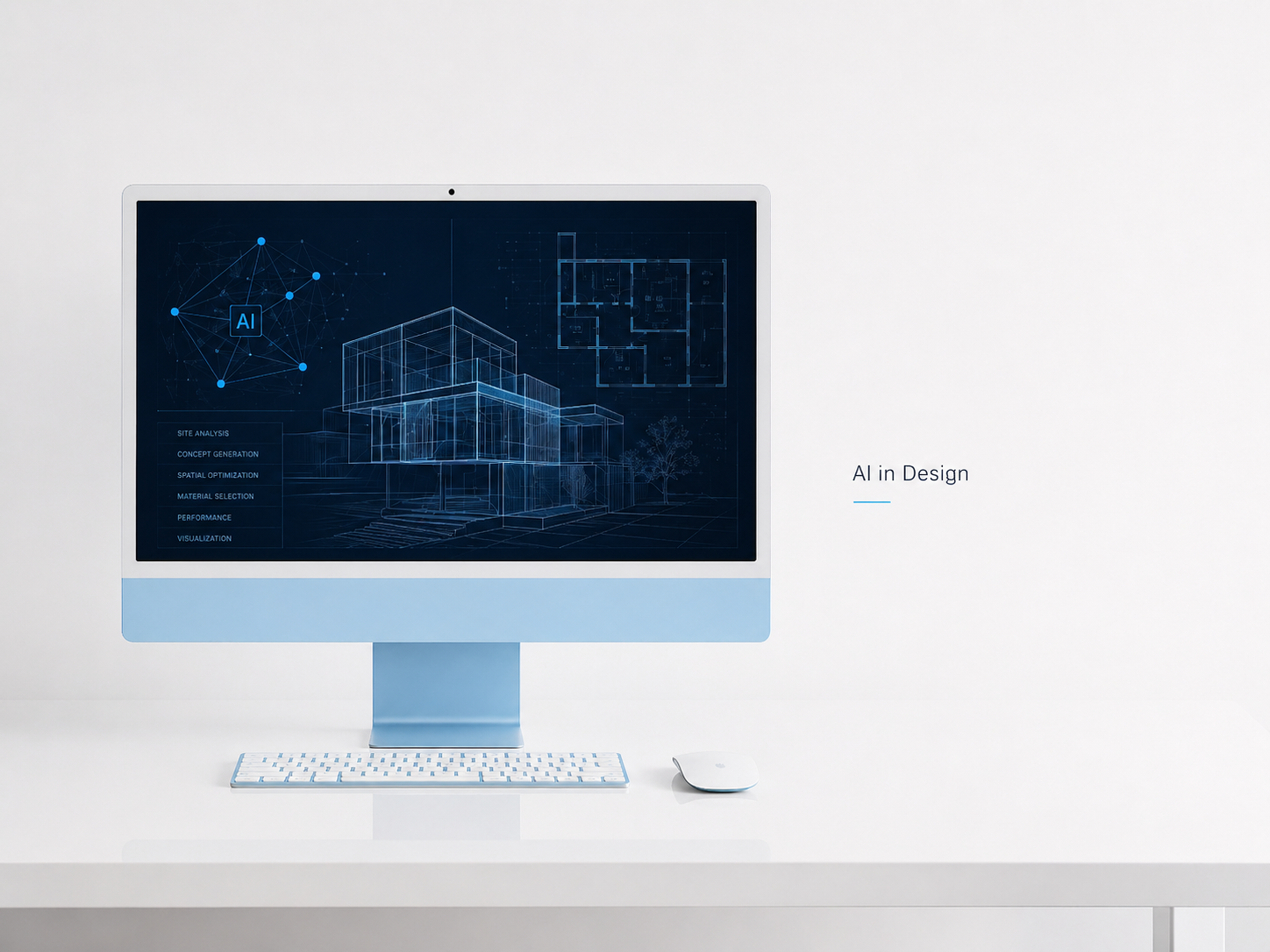
The tools change fast. The underlying problem does not. Architects need to generate options quickly, prove performance before anyone falls in love with a form, keep models clean enough to build from, and help clients make decisions without drowning them in information. AI-assisted software has gotten genuinely useful at all four of those things — but only if you use a tight stack rather than accumulating tools every time a new product gets press coverage.
This page is organized around what the tools actually do, not what their marketing says. If you are building out a studio workflow from scratch, start here. If you already have a stack and want to pressure-test it, the section on what to skip is probably the most useful part.
For a broader view of how AI is changing the profession itself — not just the tools — see AI in Building Design. For interior-focused workflows, AI shortcuts designers actually use is a practical companion.
What AI Design Software Actually Does
Strip away the product positioning and AI inside design tools does four jobs reliably. If a tool cannot do at least one of them cleanly, it is a demo.
Generative option search. You define constraints — FAR, unit count, setbacks, daylight targets, structural bay — and the tool searches solution space rather than forcing you to guess manually. The output is not a design decision. It is a set of options with measurable differences that you then evaluate with judgment.
Performance feedback during concept. Daylight, energy use, wind, shadow, acoustic exposure — running these during schematic design when changes are cheap changes what gets designed. Running them at DD when the form is locked is too late to matter.
Model automation. Renaming, scheduling, view template assignment, QA sweeps, parameter synchronization across a large model. The most boring scripts save the most time over a year.
Client decision support. Real-time walkthroughs and live option comparisons that clients can actually understand. The bottleneck in most approvals is not the design — it is the client's ability to grasp what they are approving. Better visualization shortens that gap.
The Stack That Earns Its Keep
One tool per job. Wire them together. Standardize handoffs. The firms moving fastest are using fewer tools more deeply, not more tools shallowly.
Generative Design and Optioneering
Revit's built-in Generative Design and Grasshopper in Rhino are the reliable core for different reasons. Revit Generative Design works inside the BIM environment — outputs stay connected to schedules, areas, and sheets, which keeps option studies honest rather than illustrative. Grasshopper is better for envelope logic, facade systems, and any problem where the geometry is parametric from the start. They are not substitutes for each other.
For urban massing and site tradeoffs, Spacemaker remains the fastest way to pressure-test early forms against wind, sun, noise, and views simultaneously. It is not a design tool. It is a constraint-checking tool that tells you which of your hunches have a problem before you spend three weeks detailing it.
The practical workflow: start in Rhino and Grasshopper for envelopes and massing variation. Generate two or three families of options, not twenty. Move the winner into Revit via Rhino.Inside and work from there. More than three options in a client presentation creates paralysis, not decisions. For context on which parametric tools to learn first, see parametric software for architects.
Performance Analysis During Concept
Autodesk Insight for energy and envelope tuning. Spacemaker for site forces. Run both before you have a favorite.
The specific discipline worth building is this: before any massing gets presented to a client or an internal design review, it should have an EUI range and a daylight metric attached to it. Not precise engineering numbers — ballpark guidance that tells you whether the form is heading in the right direction. Insight gives early EUI deltas when you change glazing ratios or shading depth. Spacemaker shows how a massing twist affects wind at ground level or opens winter sun to a courtyard. These are five-minute checks that cost nothing compared to redesigning in DD.
The deeper shift this creates is cultural: the team starts asking "what does this perform at?" before asking "does this look good?" Those questions should happen in the same conversation. For a broader look at AI's role in performance-driven practice, AI in architectural practice: real examples covers cases where the analysis changed the outcome.
Visualization and Client Communication
Enscape, D5, and Lumion all pair with BIM for real-time walkthroughs. They are not meaningfully different in output quality when used well. The choice between them matters less than the decision to standardize on one and build a consistent studio look — shared lighting rigs, calibrated camera presets, a vetted material library that matches your specifications.
The problem with switching renderers by project is that the look varies, which means clients are evaluating style instead of content. A consistent studio aesthetic means every presentation feels like your office made it, which builds trust faster than impressive individual renders.
On image generation tools: they are useful for exploring material palettes and atmosphere early. They are not useful as design output. The rule is straightforward — anything generated with AI image tools gets rebuilt in BIM before it influences decisions on materials or finishes. If you show a client a Midjourney image of a lobby and they approve it, you now own the expectation. Rebuild it honestly or do not show it. See what AI can and can't fix in renderings for a clear-eyed look at where image generation creates problems.
Automation and Model Health
Dynamo in Revit is the primary tool for model automation. The scripts that save the most time are the ones nobody thinks to write until they have wasted a day doing the task manually: purge and cleanup routines, view template assignments across a large sheet set, "is this element actually hosted?" checks, parameter synchronization across multiple files, and sheet naming against a project numbering convention.
AI copilots — ChatGPT, Copilot, and similar tools — are genuinely useful for generating Dynamo script stubs and regex patterns. You still need to understand what the script does and edit it to your context, but starting from a working stub rather than a blank node canvas saves significant time. The same applies to Grasshopper definitions.
The discipline that makes automation pay off is treating scripts as studio assets. Version them, comment every node and decision point, and keep them in a shared folder the whole team can find. A 40-line clean script maintained by three people beats a 400-node graph only one person understands. For practical ChatGPT applications in a studio context, using ChatGPT for architectural tasks covers where it pays back immediately.
End-to-End Workflow

Concept. Mass in Rhino. Grasshopper varies stepbacks, porosity, and FAR. Run Spacemaker for wind and daylight. Pick two options with clear, measurable tradeoffs. Do not present more than two — the conversation should be about which direction, not which of twelve.
Schematic. Move the selected option into Revit with Rhino.Inside. Keep Insight pinned for EUI targets while you establish glazing ratios and shading geometry. Live Enscape reviews during schematic lock decisions faster than static image rounds.
Design Development. Freeze major geometry before DD starts — this is the discipline most firms struggle with. Dynamo handles view and parameter cleanup. Schedule generation becomes automated. Maintain one source material library so renderings and specifications stay synchronized.
Construction Documents and Administration. Bluebeam for structured markup and review. AI assistants draft meeting notes, RFIs, and code section summaries that you edit rather than write from scratch. The render engine stays live for client clarifications without rebuilding geometry.
Where This Actually Changed Outcomes
These are not hypotheticals. They are the kinds of outcomes the tools produce when used correctly.
Urban mixed-use, Pacific Northwest. Grasshopper generated sixty massing variants inside allowable envelope rules. Spacemaker reduced them to three based on wind performance and daylight penetration. The client saw live walkthroughs of two options in Enscape and approved in five weeks. Insight kept EUI targets while glazing ratios were tuned floor by floor. The project that got approved would not have passed massing review without the wind analysis — that finding came in week two.
Adaptive reuse, Northeast. AI-assisted search helped locate new vertical circulation through existing beam conditions. Dynamo automated over four hundred sheet names and scope boxes. The GC described the document set as "boringly clear" — that is the target. Fewer coordination surprises in the field.
Campus laboratory, Canada. Multiple design teams working in different native applications met inside NVIDIA Omniverse for real-time coordination reviews. Nobody changed their software. The shared scene eliminated the weekly argument about whose file was current.
Multi-family residential. Image generation explored finish families and material combinations in the first week of schematic design. The selected palette was rebuilt in BIM and used for all subsequent client approvals in Enscape. Material sample shipments dropped. Sign-off rounds shortened.
The Tool-by-Tool Breakdown
Revit + Generative Design
Use it to evaluate plan layouts inside BIM so that schedules, area calculations, and sheet counts stay honest while you are still iterating. Do not force complex sculptural envelopes through Revit's generative tools — shape those in Rhino and import what is stable. Pair with Insight throughout so energy targets are visible during iteration, not checked at the end.
Archicad + BIMx
Faster to learn than Revit and well-suited to lean teams. Teamwork and BIMx together give mobile review capability that clients can actually use. The ceiling is interoperability on large multi-disciplinary projects where the rest of the team is in Revit. The rule holds: pick one BIM for the whole office and build depth in it.
Rhino + Grasshopper
The most flexible geometry environment available to architects. Encode patterns, structural bays, facade systems, and stepback logic; generate hundreds of legal variants; evaluate them against your criteria. The discipline that separates teams that succeed with Grasshopper from those that drown in it: keep definitions small and labeled, name every group and output, set construction planes before you start, and commit messy geometry to Revit only when it is stable. Messy meshes become messy walls become expensive RFIs.
Spacemaker and Autodesk Insight
These are guardrails. The value is in running them before you have a favorite, not after. Shift mass and shading before you have burned weeks detailing a form that will get value-engineered away because it performs poorly. They are not precise engineering tools — they are directional guides that prevent expensive mistakes during concept.
Enscape, D5, Lumion
Pick one and standardize cameras, lighting rigs, and material calibration across the studio. The render engine is not where your look comes from — your look comes from the decisions about light, material, and composition that you make consistently. A team that has never used the same render engine twice has no studio aesthetic, regardless of how powerful the tool is.
Dynamo
Automates names, views, schedules, parameter pushes, and health checks. Write every script to be read by someone who was not in the room when it was written. A clean 40-line script with comments is a studio asset. A 400-node spaghetti graph with no labels is a liability that will fail at the worst moment on the most important project.
AI text assistants (ChatGPT, Copilot)
Useful for drafting RFIs, meeting notes, code section summaries, and script stubs you refine. Not useful for design intent. The failure mode is outsourcing judgment — using AI to write a design narrative or a client summary that reflects the tool's interpretation of your work rather than your actual position on it. Use it to draft things you would have written anyway, faster. Do not use it to say things you have not thought through. For a practical setup, AI tool stacks with Revit and Enscape covers the integration.
Tool Comparison: Honest Notes on the Main Options
The right choice between tools depends on your project types, team size, and existing software relationships. These are not endorsements — they are the trade-offs that matter in practice.
BIM Platform
| Tool | Best For | Limitations | Integrates With |
|---|---|---|---|
| Revit | Large multi-disciplinary projects; firms where the GC and engineers are also in Revit; complex coordination; firms using Dynamo for automation | Steep learning curve; resource-heavy on older hardware; family creation is time-consuming; slower to set up than Archicad for small teams | Rhino.Inside, Dynamo, Enscape, D5, Lumion, Insight, Bluebeam, Navisworks, BIM 360 |
| Archicad | Small to mid-size residential and mixed-use firms; teams that value speed of setup; projects where the architect leads documentation with fewer external consultants | Less common in large commercial markets; smaller ecosystem of third-party plugins; interoperability with Revit-heavy consultant teams requires IFC workflow management | BIMx, Grasshopper (via plugin), Enscape, Lumion, Bluebeam |
Real-Time Visualization
| Tool | Best For | Limitations | Integrates With |
|---|---|---|---|
| Enscape | Firms running Revit or Archicad who want the tightest live BIM link; fast iteration during design reviews; teams that prioritize workflow speed over maximum image quality | Less photorealistic than D5 at high-end settings; limited standalone use outside BIM; material library is good but not as large as Lumion's | Revit, Archicad, Rhino, SketchUp, Vectorworks |
| D5 Render | Firms that need high-end lighting quality for competition and marketing work; real-time GI that rivals offline renders; teams comfortable with a standalone workflow | Heavier GPU requirements than Enscape; BIM sync is good but slightly less seamless than Enscape for live design reviews; newer platform with smaller community | Revit, SketchUp, Rhino, 3ds Max, direct FBX/OBJ import |
| Lumion | Firms producing large quantities of presentation material across many project types; large built-in content library for landscape and context; teams that need speed over maximum control | Less tight BIM integration than Enscape for live reviews; outputs can look similar across studios because the default materials and lighting are widely used; large file sizes | Revit, ArchiCAD, SketchUp, Rhino, and most formats via LiveSync |
Performance Analysis
| Tool | Best For | Limitations | Integrates With |
|---|---|---|---|
| Autodesk Insight | Energy and envelope performance — EUI estimates, glazing ratio optimization, shading studies; firms already in the Autodesk ecosystem; early schematic through DD | Limited site-level analysis; wind and outdoor comfort are not its strength; requires Revit model — does not work well at pre-BIM massing stage | Revit, Dynamo |
| Spacemaker (Autodesk Forma) | Site-level decisions — wind, daylight access, shadow, noise, view; urban massing studies before BIM; early feasibility when the form is still genuinely open | Less useful once a project moves into detailed BIM documentation; not a substitute for engineering-level energy modeling; subscription cost is significant for small firms | Revit (export), Rhino (export), standalone browser-based |
Parametric and Form Generation
| Tool | Best For | Limitations | Integrates With |
|---|---|---|---|
| Grasshopper (in Rhino) | Complex geometry, facade systems, structural patterns, constraint-based massing studies; any problem where the design logic should be encoded and repeatable; Ladybug/Honeybee add-ons for environmental analysis | Steep learning curve; definitions become unreadable fast without discipline; geometry must be carefully managed before it moves to BIM; not a documentation environment | Revit (via Rhino.Inside), Enscape, D5, Spacemaker (export), Karamba, Ladybug Tools |
| Revit Generative Design | Plan layout studies inside BIM where outputs need to stay connected to schedules and area calculations; residential unit mixes; studies where honest BIM data matters from the start | Limited to what Revit's family system can represent; not suited to fluid or complex geometry; slower to iterate than Grasshopper for envelope problems | Revit, Dynamo, Insight |
What to Skip
One-click "AI building" apps that cannot export clean BIM. If the output will not round-trip to your model, it is a mood board, not a production tool. A project cannot be designed in one application and documented in another without a translation layer that costs time. Evaluate any new tool by asking: what does the handoff look like and who owns it?
Multiple render engines in one office. Every additional renderer means another material library, another lighting setup, another learning curve for new staff. The output of using two engines is not twice the quality — it is half the depth in each.
Two BIM platforms in one office. Double the family libraries, double the training requirements, double the model quality standards to maintain. It is rarely worth it. If interoperability is the concern, that is an IFC and coordination workflow problem, not a reason to split your BIM stack.
Parametric definitions that nobody can read. Unnamed nodes, mystery input logic, and no comments. Scripts that are not maintained become technical debt. Before you build a complex Grasshopper definition, ask whether it will still be usable by the person sitting at this desk in two years.
Learning Path That Does Not Waste a Year
First month. Choose one BIM — Revit or Archicad — and one renderer — Enscape, D5, or Lumion. Rebuild a completed project end-to-end in the new workflow. Establish file naming conventions and a shared material library before you build anything new.
Months two and three. Add Rhino and Grasshopper. Start with envelope and facade problems that feed back into BIM. Save every clean definition — grids, porosity variations, stepback logic — in a shared parts file that the studio can reuse.
Month four. Add Insight or Spacemaker. Run one or both on every new project during concept. The goal for this month is making performance analysis a reflex, not an optional step. Teach your team to ask for performance data before they get attached to a form.
Month five. Automate with Dynamo. Start with the tasks you do most often manually: sheet sets, view template assignment, parameter pushes, model health checks. Comment every script before you close it.
For the broader picture of what AI is doing to the profession: how AI is changing architecture.
File Discipline That Makes the Stack Work
AI tools compound the consequences of bad file habits. A generative study that runs on a model with no naming conventions produces output that cannot be communicated to a contractor. A parametric definition built on geometry with no construction planes breaks when someone opens it on a different machine.
The basics that make everything downstream work: origins and units set before modeling starts. File naming that encodes project, discipline, sheet number, and issue date. One vetted material library per office, versioned and shared. A pre-issue checklist that includes warnings review, unplaced rooms, view template verification, purge, and link status. These are not interesting problems. They are the difference between a model that builds and a model that doesn't.
Common Mistakes and What to Do Instead
| Mistake | What It Costs | Fix |
|---|---|---|
| Too many tools, not enough depth in any | Staff can't troubleshoot; quality varies by project | Publish a one-page office stack; train on it monthly |
| Running analysis after the form is set | Findings come too late to change anything that matters | Run Insight or Spacemaker before the first client presentation |
| Showing clients AI-generated images before rebuilding them in BIM | Client expectations exceed what the model can deliver | Use image generation for internal exploration only; present from BIM |
| Geometry bouncing between Rhino and Revit repeatedly | Translation errors accumulate; nobody knows which file is correct | Move geometry once, at the right phase; freeze before moving |
| Grasshopper definitions nobody can read | The script fails or gets abandoned; work is redone manually | Small, labeled definitions; comment every decision; shared parts file |
Minimum Viable Stack
One BIM — Revit or Archicad. One form engine — Rhino and Grasshopper. One real-time visualization tool — Enscape, D5, or Lumion. One analysis tool — Insight or Spacemaker. Bluebeam for markups. A text-based AI assistant for drafting and scripts. That is a complete stack for any mid-scale project. Add tools when a specific gap in your current workflow cannot be closed any other way — not because a new product looked interesting at a conference.
Recommended Reading
Architecture: Form, Space, and Order by Francis D.K. Ching — AI multiplies whatever design sensibility you bring to it. This book builds the judgment that keeps generated options from drifting into arbitrariness.
The Interior Design Handbook — Scale and proportion principles that keep AI-assisted interiors grounded in how spaces actually feel to people.
Bosch GLM 20 Laser Measure — Accurate field measurements feed better models. Better models produce fewer change orders.
FAQ
What is the fastest way to get value from AI without disrupting an existing workflow?
Add one analysis tool at the concept stage — Spacemaker or Insight — and run it on every new project before the first design review. That single change forces performance into the conversation early, which is where it does the most good. You do not need to change your BIM or visualization setup to start getting value from it.
Which renderer should I choose?
The one your primary BIM platform integrates most smoothly with, and that your team will use consistently. Enscape has the tightest Revit integration. D5 has strong lighting quality. Lumion has the largest material library. None of those differences matter much compared to the decision to standardize and build a consistent studio look.
Do I need both Revit and Grasshopper?
For most mid-scale practice, yes — they solve different problems. Revit handles documentation, coordination, and BIM compliance. Grasshopper handles complex geometry, parametric variation, and constraint-based optioneering. Trying to force one tool to do both jobs produces worse results in both directions.
Where does AI actually save the most time?
In order: early option studies under real site and program constraints; repetitive BIM tasks that eat hours across a project; code summaries and RFI drafts during CA; and client-facing comparisons during live reviews. The last one is underrated — the time saved in approval rounds by giving clients a walkthrough instead of a set of plans compounds across every project.
Will these tools replace architects?
The generation of options is automatable. The judgment about which option is right for a specific client, site, community, and budget is not. What changes is the floor — the baseline level of performance and documentation quality that any competent firm can produce — rises. What stays the same is that the work requiring judgment remains the work that matters. See how AI is changing architecture for a fuller treatment.
For a plain explainer on AI's broader impact on architectural practice, see AI in architecture overview. For studio integration with Revit and Enscape specifically, AI tool stacks: Revit and Enscape workflows is a practical blueprint. Interior teams can start with AI shortcuts designers use every day.