

Can ChatGPT Be Used for Architecture?
How ChatGPT Helps Architects Design Smarter
This is not some guide written by ChatGPT about how to design your “dream house.” Forget that. This is me, an architect who grabbed AI the second it landed. Two years of trial, error, and real jobs. Nights when the drawings would not line up. Clients breathing down my neck. I have seen where it saves hours and where it just eats them.
ChatGPT is not magic. It will not hand you a permit set. It will not replace your sketchbook. But with the right prompts and the right pairings, it moves fast. Faster than you expect. I watched it spit out a zoning draft in minutes while my coffee was still hot. The same task would have eaten my entire afternoon with a binder and a highlighter.

One zoning case for a mid-rise sticks with me. Normally I would spend hours crawling codes. Instead I dropped in the basics and had a draft in fifteen minutes. Needed checking, but the time saved was real. Another time I asked it for cladding options. Half the answers were junk. But buried in there was a supplier I had forgotten. That one line saved the meeting. You learn to sift, not swallow.
And here’s the part most people do not want to hear. If you are not using it, you are already behind. Offices lean on it for briefs and specs. Students build it into studio work. Contractors fold it into documentation. Pretend it does not matter and the profession will roll past you.
So here is the move. Find where it actually saves you hours. Cut the rest. I will show you the workflows that hold up under real deadlines. Forget the hype. Because what is coming will not wait for anyone.
Concept and early design
Laying out the brief
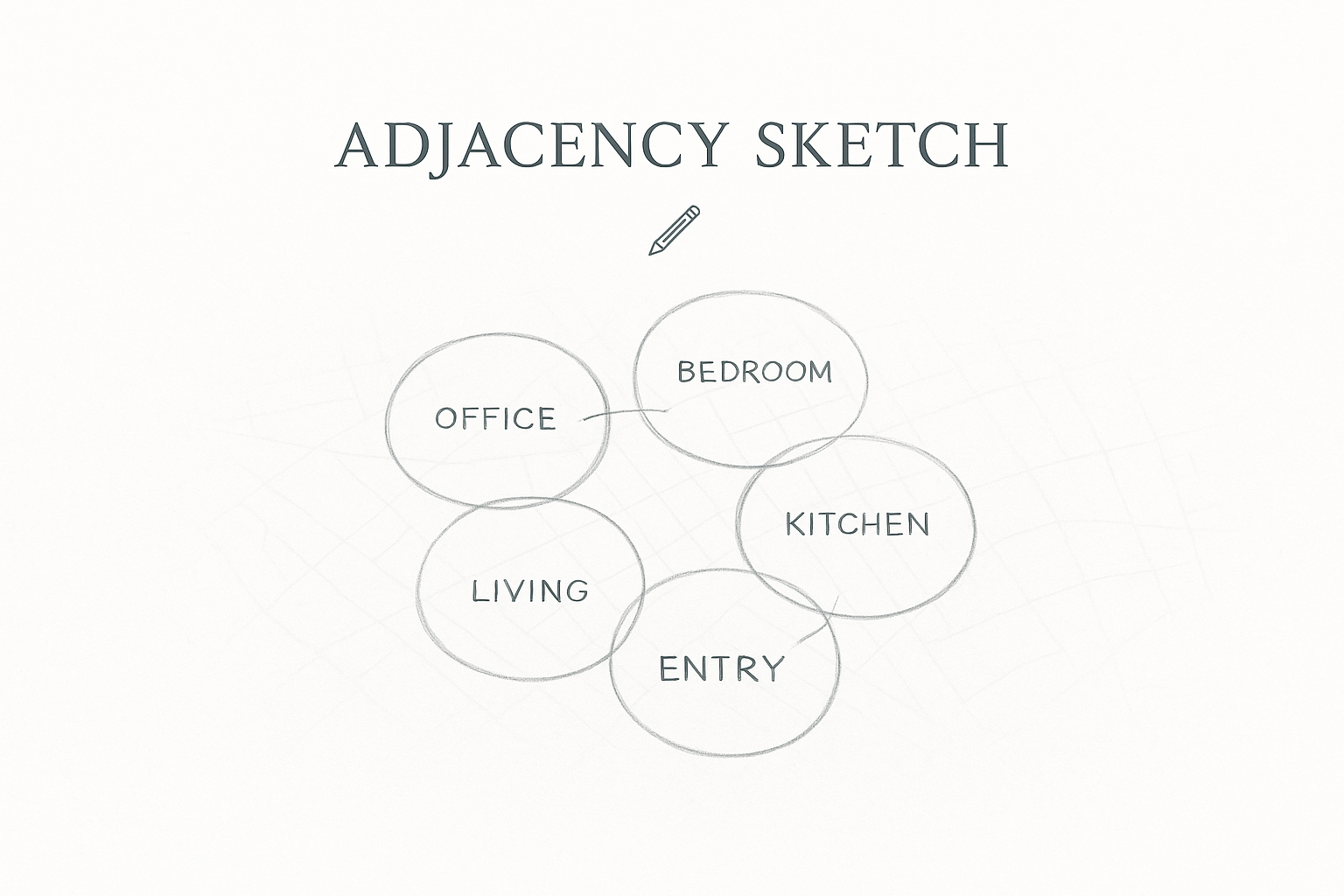
The first place ChatGPT earns its keep is clarity. Feed it the site, the program, the envelope, and the client’s quirks. Ask for a one-page brief or three adjacency diagrams. It will not hand you a plan. It forces the mess into order. I once had a client describe their needs in a three-page email that read like a shopping list. I dropped it in and got back a tight table: functions, adjacencies, square footage guesses. Ten minutes later I had a sketch on trace, marker bleeding through my palm. Normally that would have burned an hour just untangling words.
Massing you can sketch, not worship
Ask it to write three massing stories: one that favors daylight, one that pushes density, one that plays with setbacks. Then pair the text with an image tool. Midjourney or SDXL will give you five moods you can laugh at, one you might actually test. I’ve done this for a tricky infill lot. A client wanted “light, modern, green” but could not visualize beyond buzzwords. The prompts spat out crude facades. One frame had a clean solid–void rhythm. I drew that one. It is a foil, not a solution.
Zoning and code triage
This is where you save afternoons. Copy the ugly zoning text and ask for a plain English checklist. It will miss some details, especially local amendments, but the structure holds. I had it draft an egress summary once. Ninety percent was fine. One clause was off because of a state twist. I caught it because I checked the book. The format saved hours of copy-paste. Fast, not fully reliable. Treat it like a sharp intern.
Precedents without the fluff
ChatGPT can spit out precedent lists with location, year, size, and one sentence on what matters. That is enough to remind you of a building you already know but had forgotten. For a library job I needed examples of daylight-driven plans. It gave me six. Two were nonsense. Four were right. One triggered a memory of a Scandinavian project I had not thought about in years. That one went straight into the pin-up. Less research. More reminder.
Mood boards and narratives
Clients buy stories, not diagrams. If you need three versions of the same pitch: one academic, one punchy, one poetic. ChatGPT does that without complaint. I fed it my draft for a desert villa once. It came back with three options: one heavy on climate logic, one focused on lifestyle, one about heritage. I spliced them. The client never saw the AI, just a cleaner story that made sense.
Where it fails hard
Ask it for a code-compliant stair detail and you get garbage. Same with HVAC duct runs, structural grids, or anything that needs section logic. Complex geometry breaks it. That is where your brain, pen, and CAD still matter.
Technical and Documentation
Drafting specs without losing your weekend
Nobody enjoys the first draft of specs. Cut sheets spread across the desk, notes that contradict each other, half the details missing. ChatGPT can take a rough list of finishes and spit back a cleaner pass. On a clinic job I handed it a product sheet for door hardware and asked for a contractor-ready summary. It trimmed five pages of jargon to half a page. I still checked load ratings and ADA lines myself. But the grunt work? Gone. Head start, not finish line.
Schedules and checklists
Time sinks pile up in schedules and coordination lists. I ran a test on a door schedule once. ChatGPT spit out types, finishes, hardware, comments, all in a simple matrix. Not perfect, but better than a blank sheet. Same with stair cores. Ask for a checklist and it will remind you of shaft walls, smoke seals, dampers. Then it’s on you to walk the set and tick boxes. That is where it helps most: memory jogger, not master.
RFIs and minutes that read clean
Field notes are always a mess. A contractor once sent me a punch list typed like he had gloves on. I dropped it into ChatGPT and asked for a three-point summary. It came back organized and polite. I signed it and sent it. The facts stayed mine. The grammar wasn’t my problem anymore. Same trick with RFIs. You give it the question and your decision, it spits back a clear block without you fussing over commas.
Code in plain English
If you have ever stared at a zoning line about “maximum height measured from average grade plane,” you know the pain. Paste it into ChatGPT and ask for a five-line version. It will miss details, but the clutter drops away. During a renovation I tested it on a setback rule. The AI got one clause wrong because of a local amendment. Easy to catch because the mess was gone. That is the intern rule. Fast, but not gospel.
Where it stumbles
Ask it for a wall section and you will get nonsense. Same with duct sizes or anything that needs section logic. It does not understand tolerance, structure, or sequencing. BIM, engineers, and your own hand still run that part of the job.
Client Communication and Visuals
Plain language that saves meetings
Clients do not read like architects. Eyes glaze over the minute you throw ratios or code sections at them. I tested ChatGPT on one of my schematic narratives. Asked for three rewrites: one for an executive, one for a project manager, one for a homeowner. The bones stayed the same. The exec version leaned on cost and branding. The PM version hit sequencing and deadlines. The homeowner version spoke about light, rooms, and comfort. That single shift saved me an hour of editing. It also turned a meeting that could have dragged into a clean half-hour.
Slide decks that don’t eat your week
Fifty slides spread across the desk at 2 a.m. That is the grind. I fed the scheme and site notes into ChatGPT and asked for five caption options per slide. Most were forgettable. But one line cut through: “Courtyard light in every bedroom.” Better than my own draft. I kept that one. Tossed the rest. The trick is volume. Ten tries in seconds. Pick one. Move on. Not polished. Just clear.
Narratives that actually sell
Planning boards and competition juries punish sloppy language. Too much jargon and your submission dies. On a housing competition, I had ChatGPT write three versions of the same story. One leaned on community. One on sustainability. One on cost. I stitched the best pieces into a single draft. The jury called it “coherent.” That was the only word I needed. It got us shortlisted.
Images that buy time
On a clinic job I needed quick lobby vibes. No time to model. I had ChatGPT draft ten prompt variations: wood and glass, bright terrazzo, cool stone. I ran them in Midjourney, skimmed the results, and pulled one for reference. It was not the final art. It was a pin-up mood check. It bought me a night of sleep instead of wasting a weekend on a dead option.
Where it slips
Hand it control of detail and you will regret it. Ask for a railing at 915 millimeters with a compliant return and the render ignores you. Generative tools are fine for generic interiors. Weak on precision. Treat them as sketches. You do the drawing.
Reality Check and Risk
Adoption is rising, but slow
AIA surveys show only a small slice of architects use AI every week. Firms are testing it, mostly in briefs, specs, and reports. Accuracy and security stay the top worries. That matches what I see on jobs. Curiosity, but plenty of caution. Studios let interns test it on narratives. Principals keep it far from permit sets.
Hallucinations are not a myth
I have watched it invent standards out of thin air. Once it cited a non-existent ASTM line in a spec draft. Looked official until I checked. Could have blown up a submittal review. Studies keep flagging these error rates and they are not small. Treat its output like a new grad’s notes. Useful, fast, but checked line by line. Twice.
Field rules that actually work
Constraints first. Otherwise junk in, junk out.
Short loops. Ten prompts, max. Decide. Move.
Translator role. Long code paragraph into five clean lines. Dense structural note into client-safe English. Always verify.
Pair it with your stack. Sketch in hand, BIM open, D5 or Enscape for quick look-tests. ChatGPT is the writer, not the architect.
Sift, don’t swallow. Reddit pros are blunt: images are fine for mood, weak on constraints. Same with my tests. They set a direction. You still draw it.
Liability stays with you
Do not forget this. If you drop an AI-generated note into a spec set and it is wrong, the responsibility is yours. Not the software’s. That is why most offices stop it at drafts, emails, and decks. Until the tools tighten, the safest rule stays simple. ChatGPT clears fog. The bot does not sign drawings. You do.
Rendering and Visualization Support

Prompting image tools without the pain
Generative image tools are brutal if you do not know how to talk to them. ChatGPT makes that part less painful. You throw in “two-story concrete frame, shallow pool courtyard, late afternoon light” and it spits back ten different ways to phrase it. Saves you the guessing game of which keyword Midjourney or DALL·E will actually respect.
I have sat through late sessions where colleagues typed the same prompt five times just to kill floating stairs or melted chairs. Now I let ChatGPT write the phrasing. Run the set, keep one frame, toss the rest.
Hybrid workflow that buys time
Do not start modeling just to check if a mood works. I tested a client’s “light wood and stone courtyard” idea with a quick AI stack. One variation showed clerestories that worked better than skylights. That single frame saved me from wasting a weekend in Rhino. My loop is simple: sketch it, have ChatGPT spit back prompt strings, run quick AI frames, decide if it’s even worth modeling.
Not everything lands. I once had a Midjourney render where the facade looked slick until I zoomed in. Every door was four feet tall. Pretty, but useless. That is the gap you need to expect.
Style riffs without overthinking
Clients throw words like “Bauhaus” or “Japanese courtyard” but cannot picture what they mean. I feed those terms into ChatGPT and ask for ten riffs. The spread comes back all over the place. One Bauhaus villa looks like a Miami beach house, another like a concrete bunker, another like a desert mirage. Same with courtyards — some frames heavy on timber, others all void. None are perfect. But that spread is what gets a client to react before I sink time into CAD.
Where it breaks down
Ask for detail and you will regret it. I tested a “915 millimeter handrail with code return.” The render looked fine from ten feet back. Up close the rail was floating, returns missing, proportions off. Generative tools cannot think in section. They make moods, not compliance. Pin them up, use them for direction, then draw it properly.
The real win
It is speed, nothing else. You walk into a meeting with three rough frames instead of one polished render. The client points, you pivot, and you save yourself a week of wandering. Not artistry. Just momentum.
Studio and Practice Workflow
Project management that doesn’t drain you
AI is not running your project. But it clears some blank-page grind. I once dropped a messy punch list email into ChatGPT and asked for a rewrite. Ten minutes later I had three clear priorities instead of thirty scattered notes. Same with meeting minutes. Feed it your site scribbles, it hands you a clean log. The facts are still yours. It just saves the formatting headache.
Learning on the fly
Studios do not stop for you to flip through textbooks. I have used ChatGPT like a tutor before a meeting. I asked it to explain flat slabs in five points. Another time I had it remind me how daylight factor is calculated. It will not replace an engineering consult, but it gives you enough clarity to walk into the room without looking blank.
A student in my office did the same with HVAC basics before a crit. Came out sounding sharper than half the team. That is the level: quick refreshers, not scripture.
Office standards without the copy-paste pain
Templates are the worst. Drawing lists. RFIs. Standard reports. All grunt work. ChatGPT is good at spitting out a first draft you can bend to your firm’s tone. I had it clean up our standard RFI format once. Cut the legalese down to something even a contractor could read without squinting. Still needed edits, but the time saved was real.
Where it stumbles
Do not expect it to track revisions. It will not tell you that Sheet A402 has the wrong north arrow or that your door tags drifted. Once I asked it for a concrete mix summary. It confused metric and imperial. Looked fine at a glance, but the numbers were nonsense. Ten minutes wasted, but a reminder: it is grunt support, not discipline.
Limits and Red Flags
Where it falls apart
Ask for a wall section, stair detail, or duct run and you get gibberish. I once asked for a code-compliant stair in plain text. The riser to tread ratio was wrong. The landings were missing. It even cited a standard that did not exist. Looked polished. Useless. That is the core problem. It cannot think in section. Anything geometric or dimensional will slip.
Accuracy you cannot trust
ChatGPT hallucinates. I have seen it cite standards that were never published. I have seen it mash details from different systems into one fake product. On a spec draft it once told me a fire rating was “industry standard” when no such thing exists. Another time it mixed metric and imperial in the same note. Took me ten minutes just to untangle the nonsense. Studies back this up. Error rates are not small. Treat it like an eager intern. It works fast. You still check every line before it leaves your desk.
Liability does not move
This part gets skipped too often. If an AI-generated line makes its way into a spec set or drawing and it is wrong, the liability is yours. Not the bot. Not the software. Yours. That is why most firms stop it at drafts, emails, and decks. Nobody lets it near a permit set.
Signs you are asking too much
If your prompt looks like a paragraph lifted from the building code, you are already pushing too far. If you expect it to replace coordination between trades, you are wasting your time. The tool is good for cleaning, summarizing, framing. It is not built for duct clearances or shear wall calcs.
The safe lane
Use it like an intern who works fast but does not know the code yet. Let it clear the fog. Let it cut the noise. But the red stamp, the section drawing, the compliance line, that is still yours.
You might like: The AI Shortcuts Every Interior Designer Should Know
ChatGPT Cheat Sheet for Architects and Designers
ChatGPT cheat sheet for architects and designers — how the model works and how to apply it in practice.
Prompt Patterns That Work
Concept adjacency that actually helps you sketch
When the brief is a pile of rooms and wishes, make ChatGPT sort the mess so you can draw faster.
Use this when you have a site, a program, and a few non-negotiables, but no layout yet.
Paste this
How I use it
I sketch the option that reads cleanest and bin the others. It is a five-minute shove toward clarity, not a plan.
Zoning triage without the binder
Use this for a first pass on height, lot coverage, setbacks, and use. It will not catch local amendments. It will get you a checklist you can mark up and verify.
Paste this
Reality note
You still check the book. Treat it like an intern who works fast. Verification is on you. AIA survey work shows firms are testing AI for drafts and summaries, with accuracy and security the main concerns. Use it for structure, then confirm with the source.
Massing stories you can sketch today
When a client says “light, modern, green,” make ChatGPT write three short massing narratives you can test on trace.
Paste this
How I use it
I draw one elevation and one section per concept. Five minutes each. Then I pick a direction.
Precedent matrix that is actually useful
You want real projects with one line on what to steal, not a lorem list.
Paste this
Rule
Check every line before it hits a slide. RIBA reporting shows practices using AI to support research and narratives, while keeping human review in the loop.
Spec shrinker for contractor notes
This is where hours disappear. Let it crush a product sheet to something a superintendent will read.
Paste this
How I use it
I paste the bullets into the draft spec and add the cut sheet link. Then I check ratings and codes myself. AIA spec research notes growing use of AI for product research and spec drafting support.
RFI and minutes that read clean
Turn field scribbles into something the other side will not misread.
Paste this
Tip
If it sounds like a lawyer wrote it, ask again: “short and neutral.”
Client rewrite by audience
Same facts. Three tones. One pass.
Paste this
Why it works
Boards and clients scan. This lands. It is already common in practice guidance and case studies.
Image prompt sets that do not waste your weekend
ChatGPT is great at producing ten ways to say the same scene. You run them in Midjourney or SDXL, keep one, toss nine.
Paste this
Then
Drop the list into your image tool. Pin two frames as direction only. Do not trust details. Community guidance echoes this pattern: focus prompts on medium, subject, environment, and keep them specific.
Render critique that maps back to constraints
Make the model better, not just prettier.
Paste this
Pipeline note
If you use Revit plus D5, keep Live Sync on so camera and material nudges reflect immediately. It cuts the loop time.
BIM coordination sanity list
Not glamorous. Very useful. Ask for what to check, then walk the set yourself.
Paste this
How I use it
I print the list and mark up A-sheets and M-sheets in one pass. It catches nothing by itself. It reminds me to look.
Cost and schedule nudge without fluff
You will still call the QS. This helps prep the ask.
Paste this
Office templates you will actually keep
Blank pages eat time. Let it throw a first pass your way.
Paste this
Reality check baked into the prompts
Add guardrails to your own instructions so future you does not forget.
Paste this
Why bother
Because error rates exist and the liability stays with you. Both AIA and RIBA report cautious adoption with focus on drafts, narratives, and research, not permit drawings. Keep that boundary clear in your prompts and in your practice.
ChatGPT will not design your building. But it will clear the fog around briefs, codes, images, and reports. Architects who learn how to fold it into their stack now will have more time for the work that still matters: design, judgment, detail.
Field Workflow Examples
Renovation briefs that don’t stall
Adaptive reuse always starts in chaos. Old drawings, missing fire ratings, codes that changed three times since the building went up. I dropped a 1960s office brief into ChatGPT once and asked for a code checklist. Back came a rough list: fire egress, accessibility upgrades, HVAC loads. Ninety percent usable. I scratched out the rest and added my own notes. The draft was ready in minutes. On another project it missed a local stair clause completely. Easy to catch, but only because I double-checked. That’s the rhythm: fast clarity, but you still hold the pen.
Housing competitions that click
Competitions are stories in disguise. One time I had ChatGPT write three narratives for a housing entry: one about sustainability, one about community, one about cost. None were winners by themselves, but a single line in the community draft hit hard. I rewrote the entire submission around that. The jury later said the story carried weight. That’s where it helps — nudging you into a stronger frame when you’re too close to the work.
Client decks that actually land
Fifty slides. Zero time. I fed my scheme and site notes into ChatGPT and asked for five caption options per slide. Most were junk. But a few stuck: “Daylight across every bedroom” beat my own long draft. Another time I asked for rewrites by audience: one set for executives, one for PMs, one for homeowners. The facts stayed the same, the tone shifted. Everyone read what they needed. Meetings ran smoother.
RFIs and site notes cleaned up
Contractors are fast, not neat. I once got a punch list typed like it came from a phone in the rain. I dropped it in, asked for a three-point log with owners and dates. Ten minutes later it was legible. One caveat: it once merged two separate issues into one, which nearly caused confusion. Rule is the same as always: sift, not swallow.
Studio pin-ups without the fluff
Interns and students use it too. One of mine pasted a draft text into ChatGPT before a crit and got back something sharper. Saved them from mumbling through half-baked sentences. Professionals do the same for planning notes. The polish doesn’t win by itself, but it keeps you from losing on clarity.
Contractor comms under control
Tone makes or breaks site emails. I had a contractor pushing delays on glazing. I wrote a blunt draft that would have started a fight. Dropped it into ChatGPT with one line: “firm but professional.” Back came a cleaned-up version that held the line without sounding hostile. It saved the relationship..
The Road Ahead

Adoption is happening, but slow
AIA and RIBA surveys show only a small fraction of architects using AI every week. Most firms let interns test it on reports and proposals. Principals keep it far from permit sets. Accuracy and liability are the brakes. That matches what I see in practice. Curiosity is there, but full adoption is not.
The integration wave is coming
The next real shift will be BIM links. Revit, ArchiCAD, Rhino. All of them are working on direct connections to AI tools. Imagine asking for “three daylight options” and watching Revit shuffle massing studies live on your screen. That is where efficiency jumps. The early adopters will bank hours. The late adopters will scramble to catch up.
What you should do now
Keep it in the grind lane. Briefs, summaries, images, captions. Never trust it blind. Always cross-check. Build short loops now so when BIM integrations arrive, you are not starting cold. The work that still matters — design judgment, section logic, real detailing — stays in your hands. But those who fold AI into their stack will move faster, and clients will notice.
Real projects move faster when ChatGPT runs alongside your renderers, BIM, and code tools. I have tested stacks like Revit with Enscape, SketchUp with D5, and ChatGPT with UpCodes. Each one cuts loops in its own way.
Here is the full breakdown in AI Tool Stacks for Architects: ChatGPT, Revit, Enscape, and Beyond.
Conclusion
ChatGPT is a multiplier. It won’t replace sketching, site visits, or engineering logic. But it will cut hours from writing, research, and early concepting. The architects who learn how to fold it into their practice now will free up more time for design.
FAQs
30 FAQs on ChatGPT for Architects
1. Can ChatGPT draft complete architectural drawings?
No. It cannot generate accurate floor plans, sections, or elevations. Outputs are generic, lack dimension logic, and often fail real-world rules. You sketch, it helps shape ideas.
2. Is it reliable for building codes?
Only as a starting point. It often misquotes or omits local amendments. Always cross-check the original code.
3. How do architects actually use it at work?
Mostly for writing specs, emails, proposals, meeting notes, and zoning summaries. Visual tools help with mood boards, not detail. It’s grunt-work support, not design driver.
4. Can it calculate stair geometry?
Not safely. It often produces wrong riser-tread ratios, misses landings, and cites standards that don’t exist.
5. Does it help with specs?
Yes. Paste long product sheets and ask for contractor-ready summaries. It saves hours stripping out marketing fluff.
6. Can it generate zoning code checklists?
Yes. Paste sections of code and ask for a clean summary with bullet points. Always verify because half the info can be wrong or incomplete.
7. Useful in competitions or planning boards?
Absolutely. It can generate narrative options; one line can spark the winning tone. Use it as creative fuel, not final copy.
8. How do I use it with BIM tools?
Right now, architects pair ChatGPT with Revit or Rhino through prompt-generated input or spec drafting. Full plugin integrations are coming soon.
9. Should I trust visual outputs from Midjourney or similar?
Only for mood. Outputs ignore scale, structure, and accuracy. Use visuals as quick concept frames, not client-ready images.
10. Can I get help with meeting minutes or RFIs?
Yes. Paste messy notes and ask for a three-point action log with owners and dates. It cleans tone and improves clarity instantly.
11. Is it good for materials research?
Yes. Ask for pros and cons of cladding options or sustainable finishes. Always validate by checking cut sheets or manuals.
12. Does it help with HVAC or structural advice?
No. It lacks dimensional logic, buildability awareness, and conflicts with engineering protocols. Use it only for summarizing theory.
13. Can I upload drawings or plans?
Yes, with image-capable models. You can ask for feedback or critique, but don’t rely on accuracy. It reads plans like a distant observer.
14. How do studios use it for student training?
Often as a tutor: “Explain flat slab design in five points,” or “What’s daylight factor?” It gives quick refreshers before crits.
15. Is there any copyright or IP risk?
Yes. If you feed client-sensitive information into it, it could be stored or reused. Many firms restrict usage.
16. Will AI replace architects?
No. It lacks design intuition, empathy, and judgment. But architects who refuse to learn it risk losing competitiveness.
17. How accurate is it with math?
Not very. It mixes units, rounds badly, and sometimes contradicts itself. Always recalc dimensions manually.
18. Will it memorize my firm’s style or tone?
Only if you train it with your own text samples. It can mimic tone but still needs human refinement.
19. Does it work for cost or energy modeling?
Very roughly. It can suggest directions but is not calibrated for accurate modeling. Use proper tools for numbers.
20. Can I use it to generate Dynamo or Excel code?
Yes. It can write Python or formulas quickly. You still need to debug.
21. How to avoid hallucinations?
Add guardrails in prompts: ask it to flag unknown standards, restate units, and remind you to verify.
22. What prompt style works best?
Clear context, task, constraints, and output format. Think like instructing a junior. Break big tasks into small chunks.
23. Where does it speed real work?
Zoning summaries, adjacency tables, client decks, specs drafting, proposal text. It cuts repetitive time sinks.
24. What are common fails professionals report?
Errors in code, geometry, materials, units, and even mixing up projects.
25. How are firms adopting it?
Slowly. Only a minority use it weekly. Most use it for low-stakes text work.
26. What should young architects learn first?
Prompting skills, critical editing, and integration with existing design tools.
27. Can it help in client presentations?
Yes. It helps tighten narrative, edit tone, and polish language.
28. Ethical concerns?
Yes. It may produce biased outputs or misrepresent cultural design traditions. Always review.
29. Will prompt engineering become a profession?
Yes. Many firms are already experimenting with internal AI assistants and standardized prompts.
30. Best mindset going forward?
Treat AI like an assistant. Use it to speed grunt work, but keep judgment, design, and craft in your own hands.
References
-
AIA: Artificial Intelligence Adoption in Architecture Firms: Opportunities & Risks — Data on AI usage trends in architecture, including adoption rate (6 % regularly using AI, 8 % of firms integrated) and concerns about accuracy, security, and transparency
-
AIA: AI in Practice — Strategic Insights from The Architect’s Journey to Specification — Explores where AI saves time (spec writing, product research), and why most firms are only testing it
-
RIBA AI Report 2025 — Initial findings on UK practitioner attitudes, pilot adoption, and ethical implications
-
RIBA AI Report 2025 — Year-over-year growth in AI usage (from ~41 % to ~59 %), continued concerns around job displacement, creativity, and quality
-
Archinect: Half of architects have experimented with AI, but few use it regularly — Reinforces numbers on experimentation vs regular use among architecture professionals
-
Architect Magazine: AI in Architecture — Revolution or Risk? — Report recap and context on current (6 %) adoption and professional sentiment
-
Project Flux: AI in Architecture — Beyond the Adoption Statistics — Discusses the exponential potential of AI, and why the profession must prepare for fast changes
-
ArXiv: Architectural practice process and artificial intelligence — an evolving practice — Academic literature on how AI is reshaping architectural workflows, roles, and creativity
-
ArXiv: Ethics of Artificial Intelligence and Robotics in the Architecture, Engineering, and Construction Industry — A critical analysis of ethical issues architects should consider (job security, bias, liability, privacy)